
Built for rep-based conditioning
The burpee timer that paces your reps for you.
Set a target like 125 burpees in 20 minutes, pick a pacing strategy, and follow audio cues without staring at your phone.

Free to download. Pro is free for your first 5 workouts, then $14.99 once, going up to $19.99 on December 1. No subscription, no account.
Rep goals are simple. Pacing them is annoying.
"125 reps in 20 minutes" sounds simple until you're five minutes in, breathing hard, trying to remember if you're ahead, behind, or about to burn out. Most interval timers make you decide the rounds and timing yourself. Workrate starts with the target and builds the structure for you.
Stuck at the same number? Keep the target and change how you pace it. Workrate gives you several ways to pace the same goal, so you can try a different one next session.
Try the free burpee pace calculator →Read how to pace burpees →
- You start too fast and crash halfway through
- You keep checking the clock instead of moving
- You lose track of whether you're ahead or behind pace
- You finish with no useful record of how it went
- You want to compare sessions without overcomplicating it
How Workrate works
01
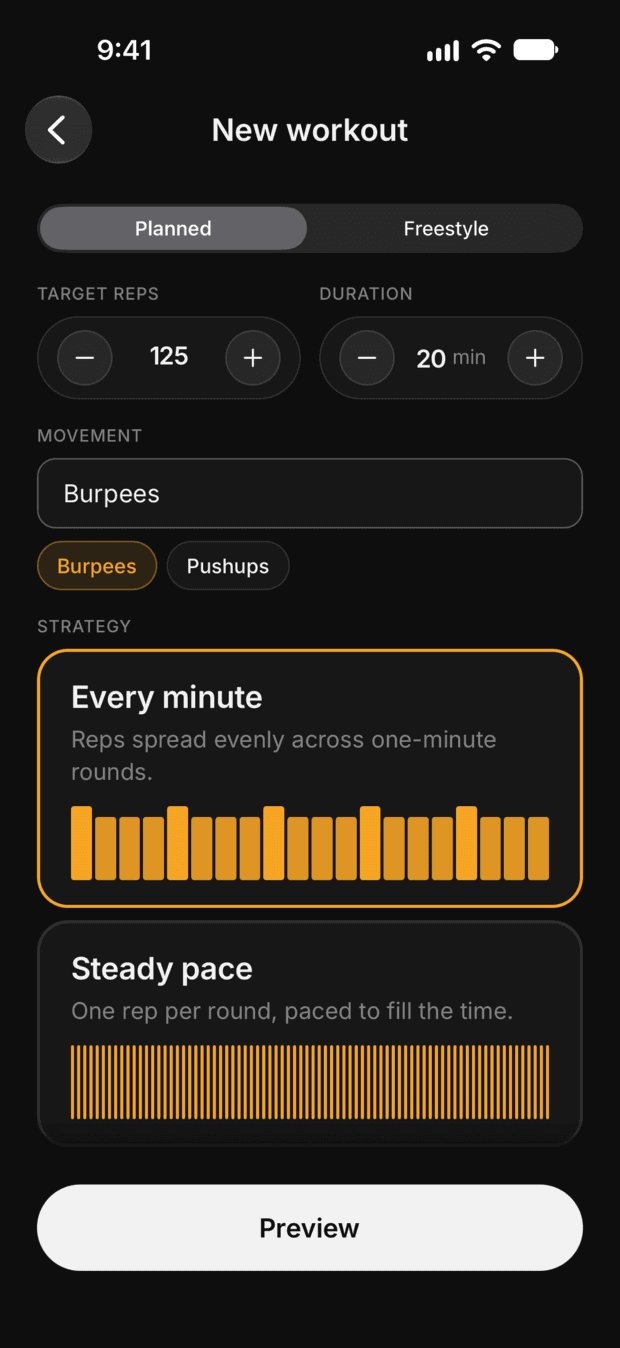
Set the target
Enter a rep goal, a time budget and a movement tag, like 125 burpees in 20 minutes.
02
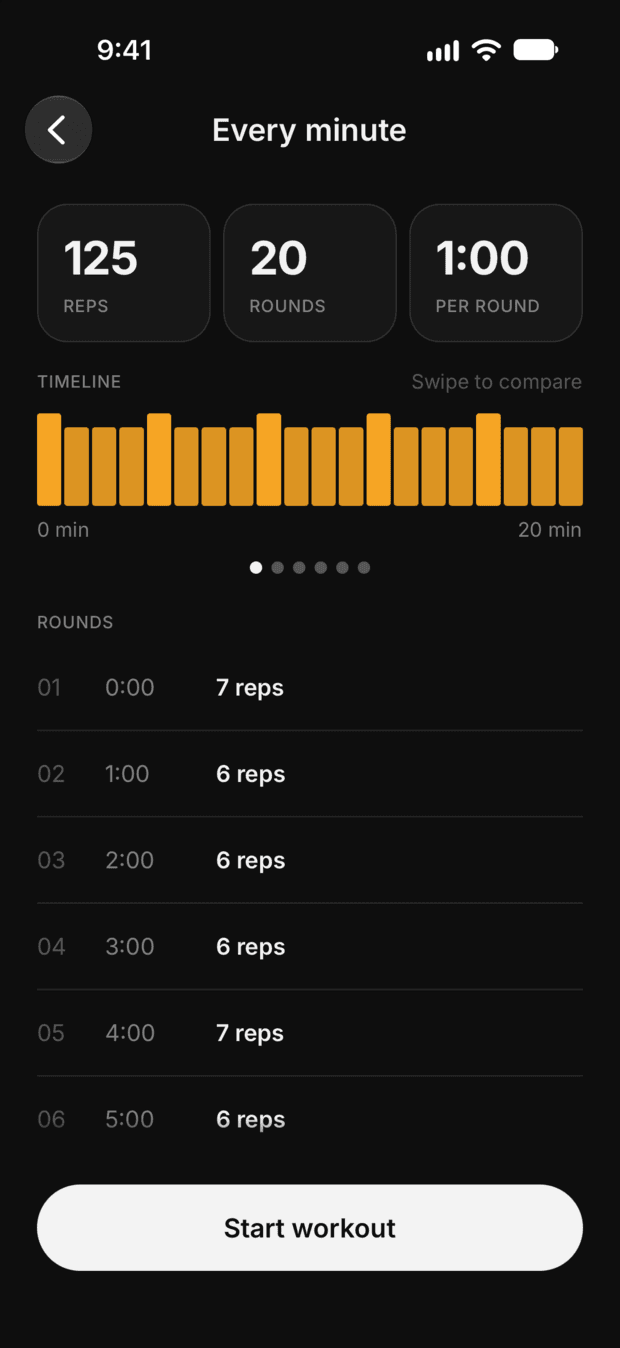
Pick a strategy
Choose a pacing plan such as Every minute, Steady pace or Sets. Swipe to compare them, then start.
03
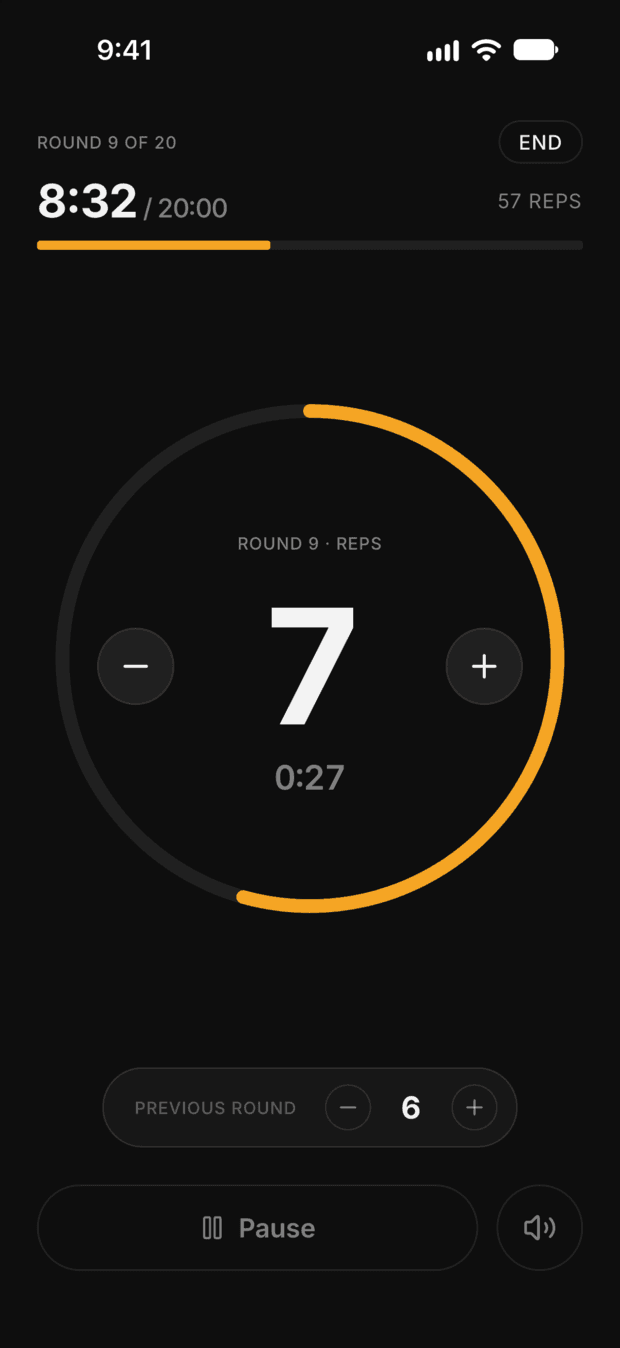
Follow the cues
Each round has its own rep target. Audio cues and haptics call each round, so you can stop watching the clock.
04
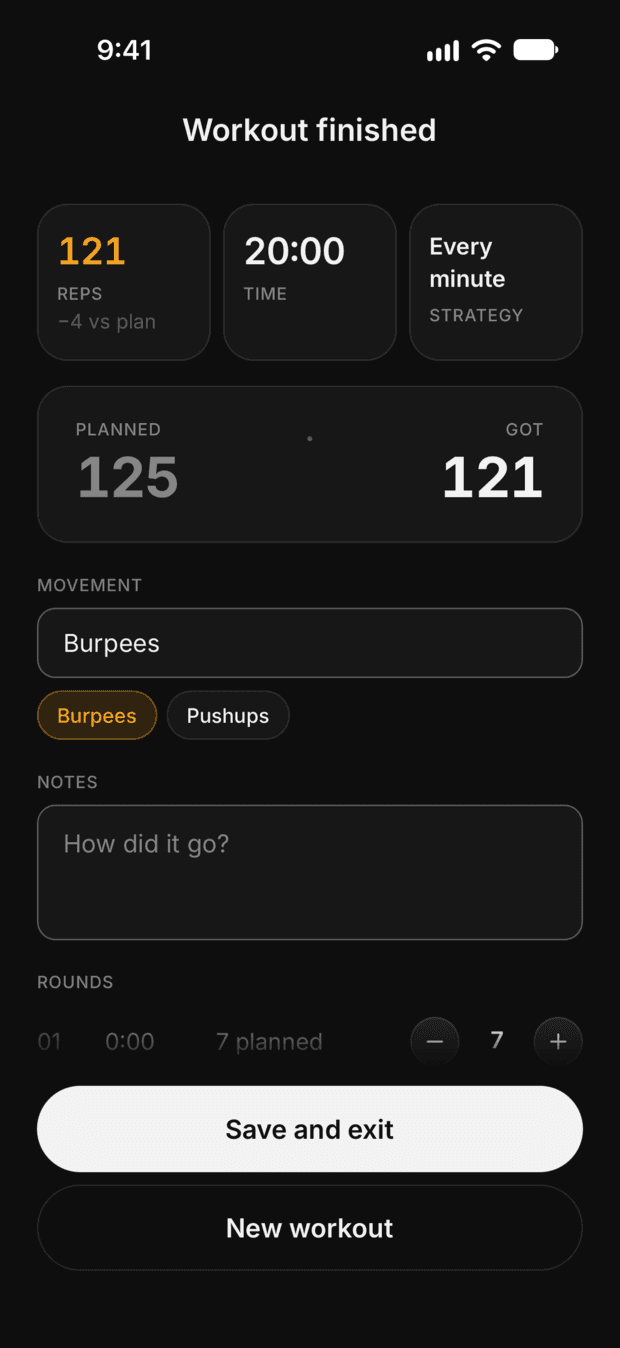
See your score
Compare the plan with the reps you actually did, round by round.
05
Tag & trackPro
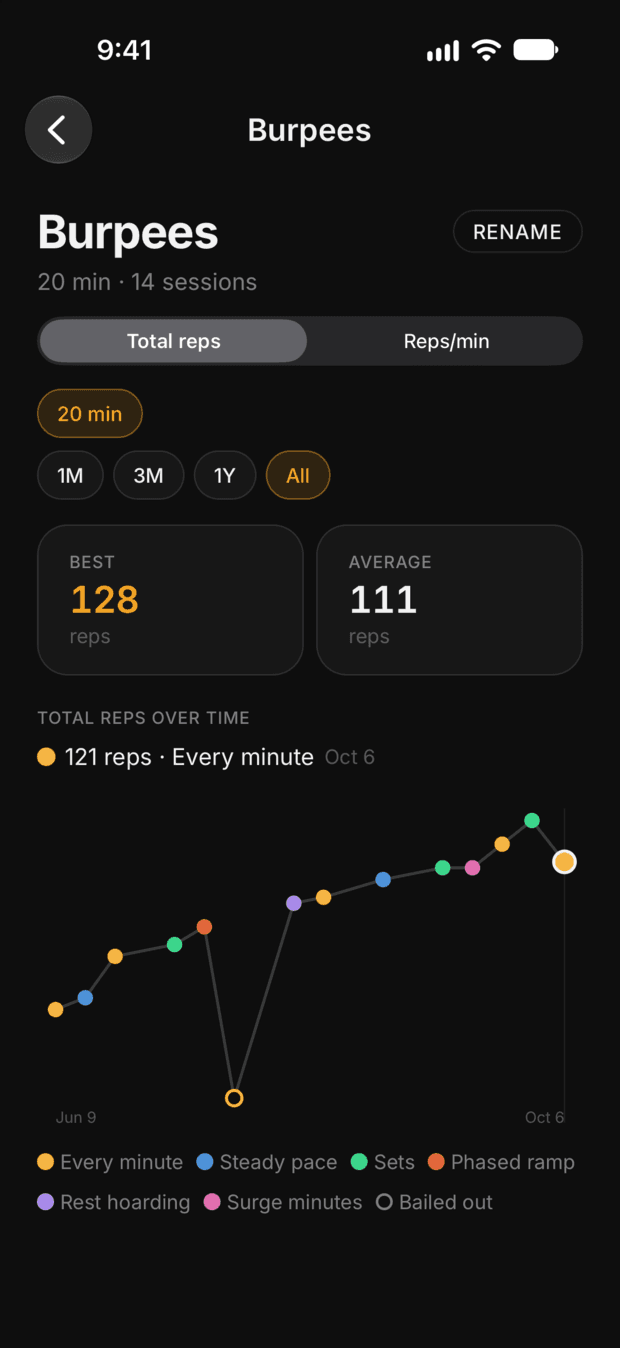
Tag each session by movement and watch your total reps trend over time, coloured by the strategy you used.
What you get
Rep target to pacing plan
Enter reps and time, and Workrate builds the pacing plans for you.
Audio-led workouts
Audio cues call every round, so you don't check the screen mid-set.
Planned & Freestyle modes
Run a plan, or set only a duration and log your reps.
Actual vs. planned logging
Track what you actually completed each round and compare it against the plan.
Progress trendsPro
Track your total reps per movement over time, coloured by the strategy behind each session.
Lifetime Pro
Pro adds three more pacing plans and progress trends. It's free for your first 5 workouts, then a one-time $14.99. No subscription.
On Android? Get lifetime Pro free.
Workrate is on the App Store now, and the Android version is in closed testing. Google needs testers to stay in for 14 days before it can go public on Google Play.
The first 15 Android testers who stay the full 14 days and send feedback get lifetime Workrate Pro free.
Feedback means one email about what you liked, what you didn't, or what broke. "Love it, wouldn't change a thing" counts. "Don't like it" needs a reason.
Open these links in Chrome, signed in with the Google account you use for Google Play. Links opened inside Reddit, Gmail or Messenger often show an error.
- 01Join the tester group
- 02Become a tester
- 03Install Workrate from the Google Play page that opens after step 2.
Send feedback to support@getworkrate.app
A burpee timer that starts from your target
A regular burpee interval timer counts work and rest, and leaves the pacing math to you. Workrate works the other way round. You tell it the reps and the time, and it builds the rounds, then calls each one with audio cues and haptics. It paces any movement you count in reps, so it works for pushups, swings and squats as well as burpees. 300 kettlebell swings in 15 minutes? That's 20 every minute, or one every 3 seconds.
Built for people who already know the work
Workrate doesn't tell you what exercise to do. It doesn't prescribe programs, judge your form, or decide whether your goal is realistic. It's for self-directed training where you already know the target and just need a better way to structure the session.
Following the Busy Dad Program?
Workrate is built for exactly that kind of session: a rep target, a clock, and nobody telling you what to do. I'm Hlynur, a dad of three kids aged 6, 3 and 1. I did the program last year, fell off it, and built Workrate to help me get back on track.
Workrate is an independent app, not affiliated with Busy Dad Training.
No subscription. No account. No cloud.
Free to start. Lifetime Pro, once.
The core workout flow and your full workout history are free. Workrate Pro adds three more pacing plans and progress trends. It's free for your first 5 workouts, then a one-time $14.99 unlock, not a subscription. The price goes up to $19.99 on December 1. If Workrate ever adds a subscription, everyone who bought Pro keeps it.
Local-first, and it does one job
No accounts, no social feed, no cloud workout sync, and no coaching algorithm. Your workout data stays on your device. Workrate paces rep-based workouts and keeps a simple record of your progress, and that's all it does.
Start your next session with Workrate.
Free to download. Pro is free for your first 5 workouts, then $14.99 once, going up to $19.99 on December 1. No subscription, no account.